My AI Front Desk review: an AI builds your receptionist in ten minutes, then the trial wall
We signed up with this site's own details, let Ava read our pages and answer five questions, watched the build, placed a test call and read what it cost. Then we found where the free part ends.
How we got these screenshots. We opened a My AI Front Desk account on 16 October 2026 with this site's own details, no card, answered the setup questions as any owner would, placed one test call from the browser and read every screen the account would open. My AI Front Desk did not know we were reviewing it and has not paid for this page; emails and phone numbers in the images are blurred. We stopped at the point where the product asks you to start a subscription, so the receptionist's settings and call log inbox are described from what the setup showed, not from inside; the test call's recording and transcript came to us by email. Links to My AI Front Desk may earn us a commission (disclosure).
What My AI Front Desk is
My AI Front Desk (the app calls itself “frontdesk, a Bevado company”) sells one self-serve plan, “Business in a Box”: an AI receptionist on a phone number, plus a website chatbot, an email agent, web forms, a CRM, tickets, a calendar and automations, for $99 a month. It is fourth on our home page, for the most features in one plan and for the refund complaints in its reviews. What is new since we wrote that: setup is now run by an AI assistant called Ava, who reads your website, asks five questions and builds the receptionist while you watch. This page shows what that looks like, screen by screen, and where the free part ends.
- Job
- Answers your business line 24/7; takes messages, books, texts links, transfers; chatbot, email and forms on the same plan
- Price
- $99 / month, or $950 a year, for 200 voice minutes; extra minutes at 25 credits ($0.25) each from a pool of 1,000 credits a month (seen in the app)
- Trial
- 7 days, “$0 due today”, started from a Start free trial button; before that, 300 demo credits for browser test calls
- Built from
- Your website (it read 7 of our pages) and five typed answers, or a two-minute voice call with Ava
- What it wrote
- A greeting, two intake forms with 5 and 3 questions, two text-message replies with links, and call rules with no transfers, because we asked for none
- Test call
- 3 min 52 s from the browser: recording, summary and transcript arrived by email and on a call page that opens without the trial; it cost 96.75 of 300 demo credits
- Not seen
- The receptionist's settings, call log inbox, texting and chatbot: locked until the trial starts
The sign-up, step by step
The left rail lists four steps with times beside them: Business, Account (“about 2 min”), Set up (“about 5 min”) and Launch (“about 2 min”), under a line that says “No credit card required. Your receptionist is built while you answer. Nothing goes live until you test it yourself.” The Business step is one field, your website; from then on a panel on the right shows Ava reading it: “Reading your website, working out what you do, building your knowledge base, configuring your features, finalizing your receptionist.” By the time we had typed our account details the panel said 100%.
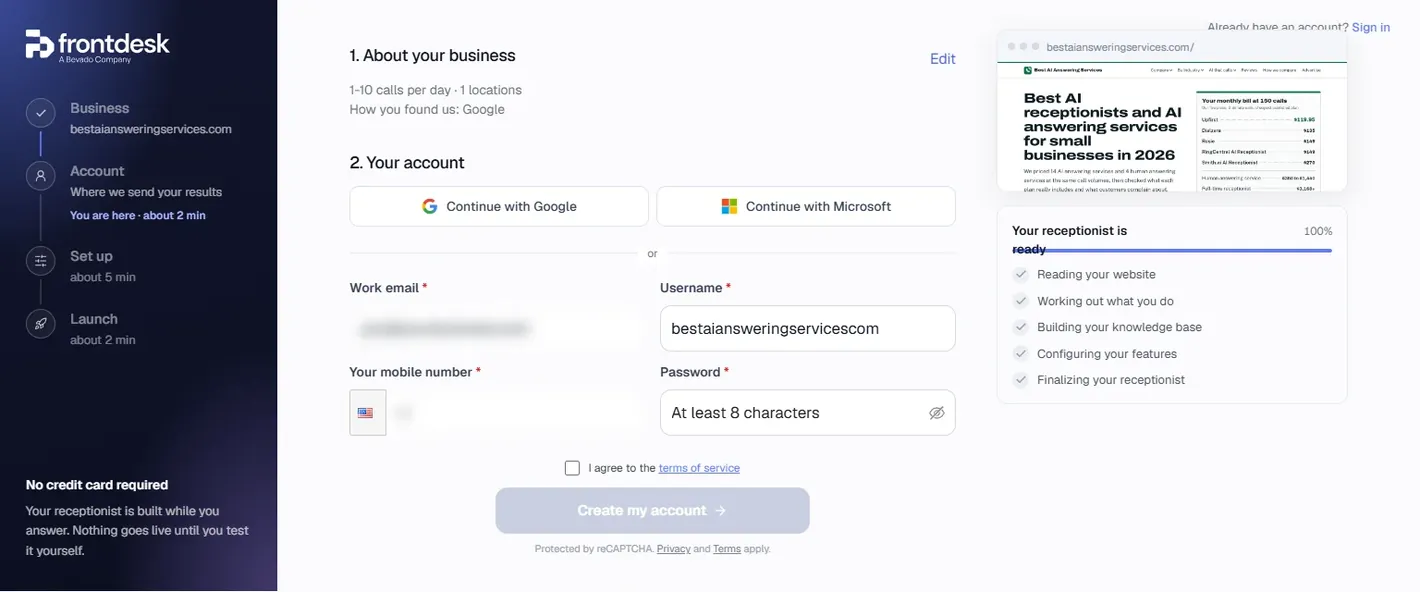
The business questions are multiple choice: calls on a normal day (up to 10, 11 to 25, 26 to 50, 51 to 100, more than 100), team size (1 to 5, 6 to 15, more than 15), locations (one to more than 20) and how you heard about them, which lists ChatGPT and “one of our AI receptionists” beside Google and Facebook. The account form takes Google, Microsoft or a work email, a username, a mobile number (required), a password, a reCAPTCHA and a terms checkbox.
One thing to know before you start: the first email verification code was slow. It was not in the inbox or in spam when we looked; after about a minute we requested a second code, which came at once. Both are in the mailbox now, two minutes apart, so the first did arrive, late. If yours does not show up, wait a minute and ask again rather than registering a second time.
Teaching Ava: five questions or a call
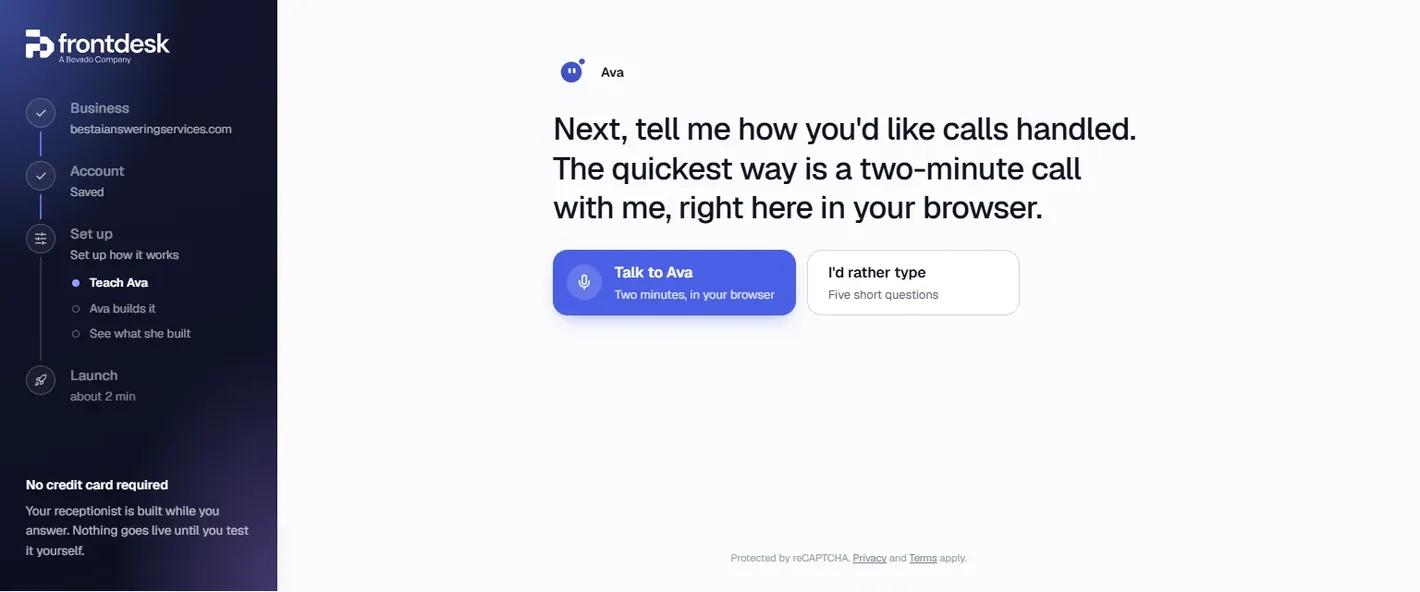
The Set up step has three sub-steps: Teach Ava, Ava builds it, See what she built. Teaching is a two-minute call with Ava in the browser (“you'll see everything Ava hears”) or five short questions:
- What should your receptionist take care of on calls?
- Why do people usually call you?
- When should a call go to a person, and to which number?
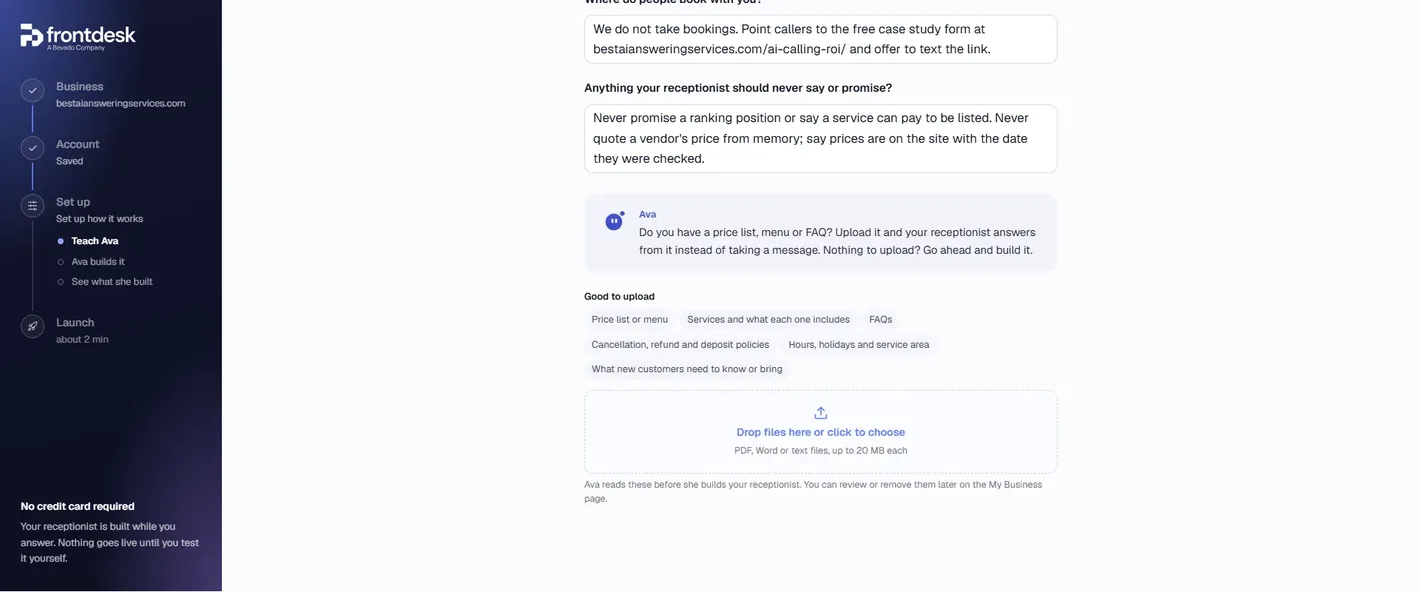
- Where do people book with you?
- Anything your receptionist should never say or promise?
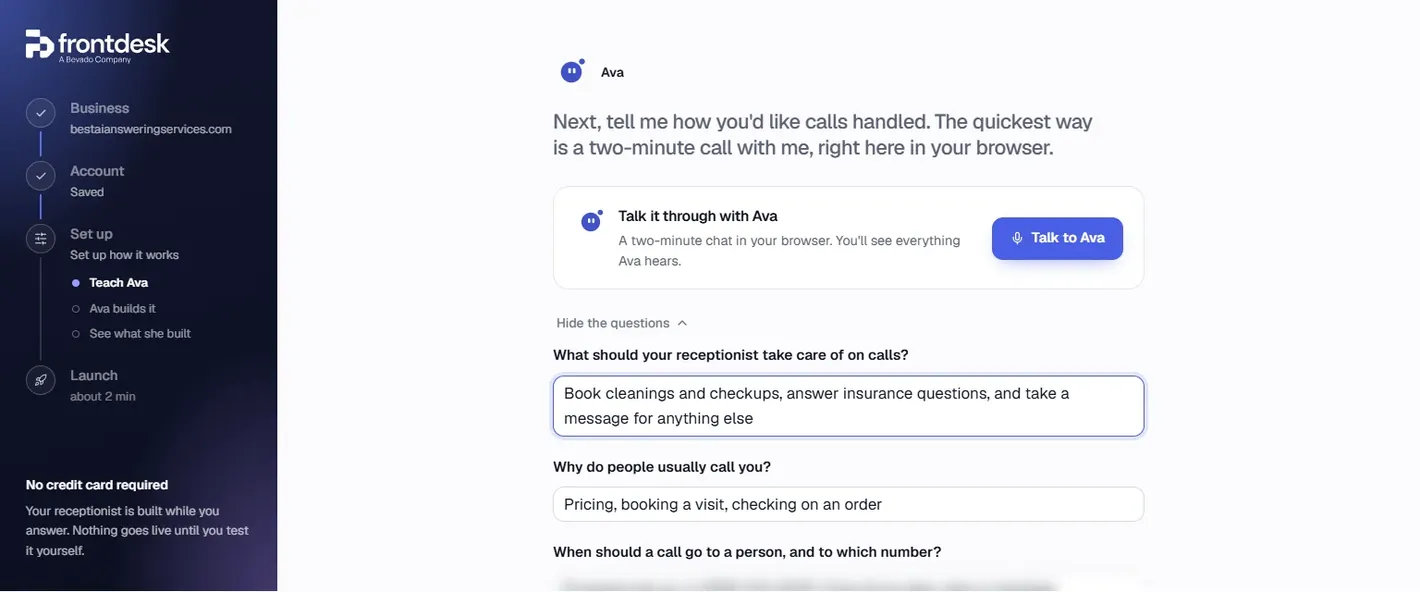
We answered for this site: answer questions about our comparison and how we rank, take the caller's name and email for the free case study, no live transfers, take a message for vendors correcting a listing or anyone upset and call back within one business day, no bookings, point callers to our case-study form and offer to text the link, and never promise a ranking position or quote a vendor's price from memory. Then an upload box for documents: “price list or menu, services and what each one includes, FAQs, cancellation, refund and deposit policies, hours, holidays and service area, what new customers need to know or bring”, as PDF, Word or text up to 20 MB each. We uploaded nothing.
Watching it build itself
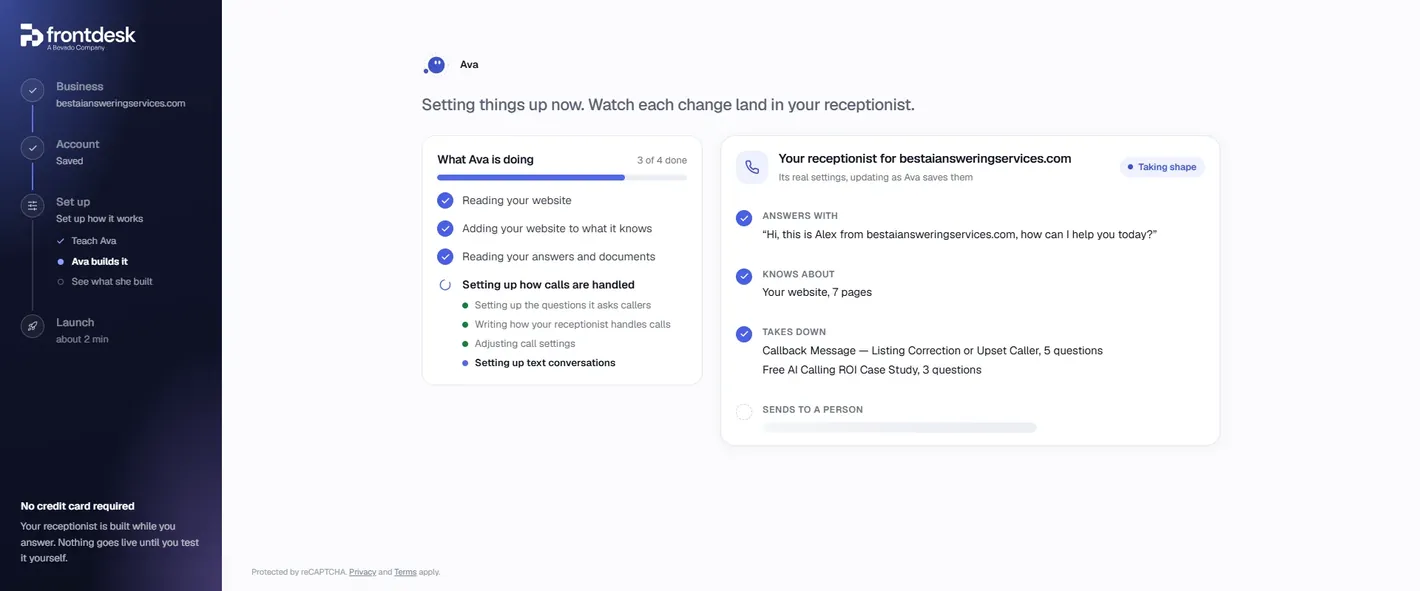
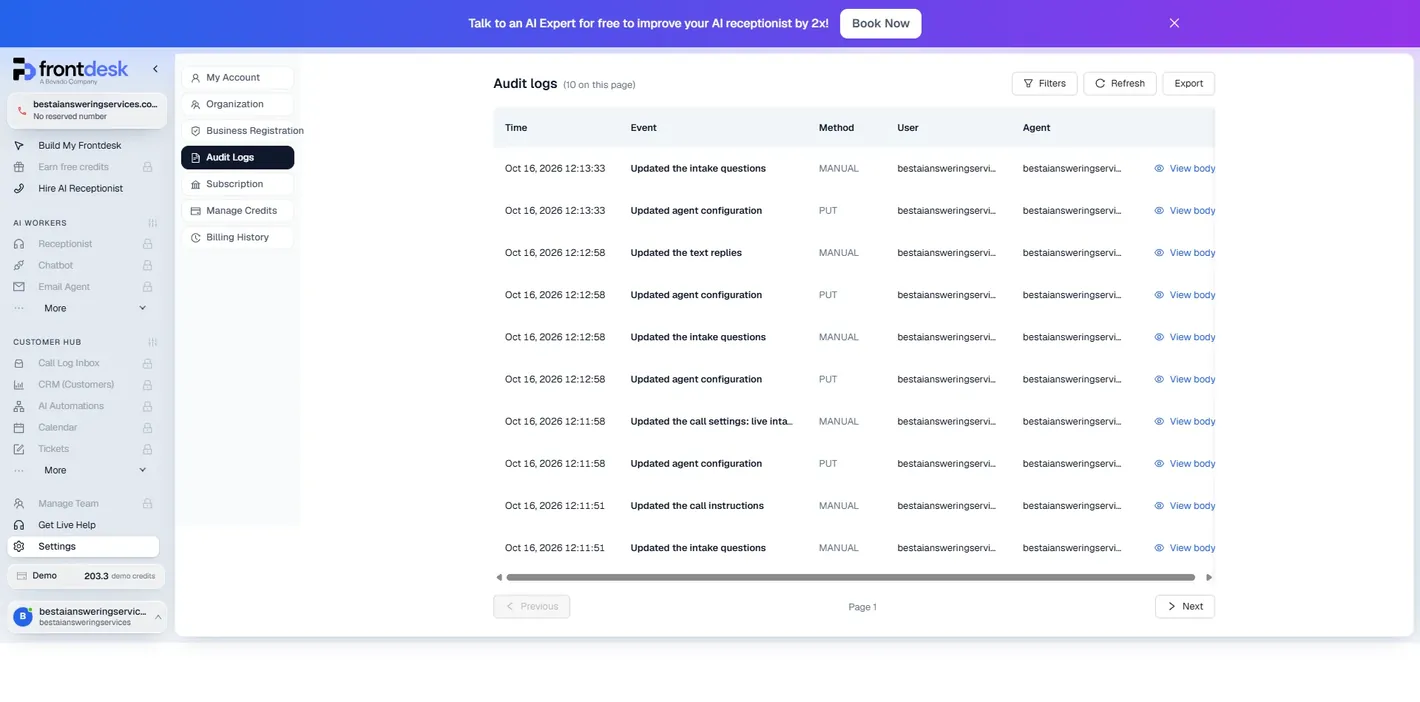
The build screen lists four jobs: reading the website, adding it to what the receptionist knows, reading the answers and documents, and “setting up how calls are handled”, which breaks into the questions it asks callers, how it handles calls, call settings and text conversations. The first three took seconds; the fourth sat at “3 of 4 done” for about six minutes before finishing. The audit log, which we read afterwards, records the actual configuration changes within two minutes (12:11:51 to 12:13:33), so most of the wait was somewhere else.
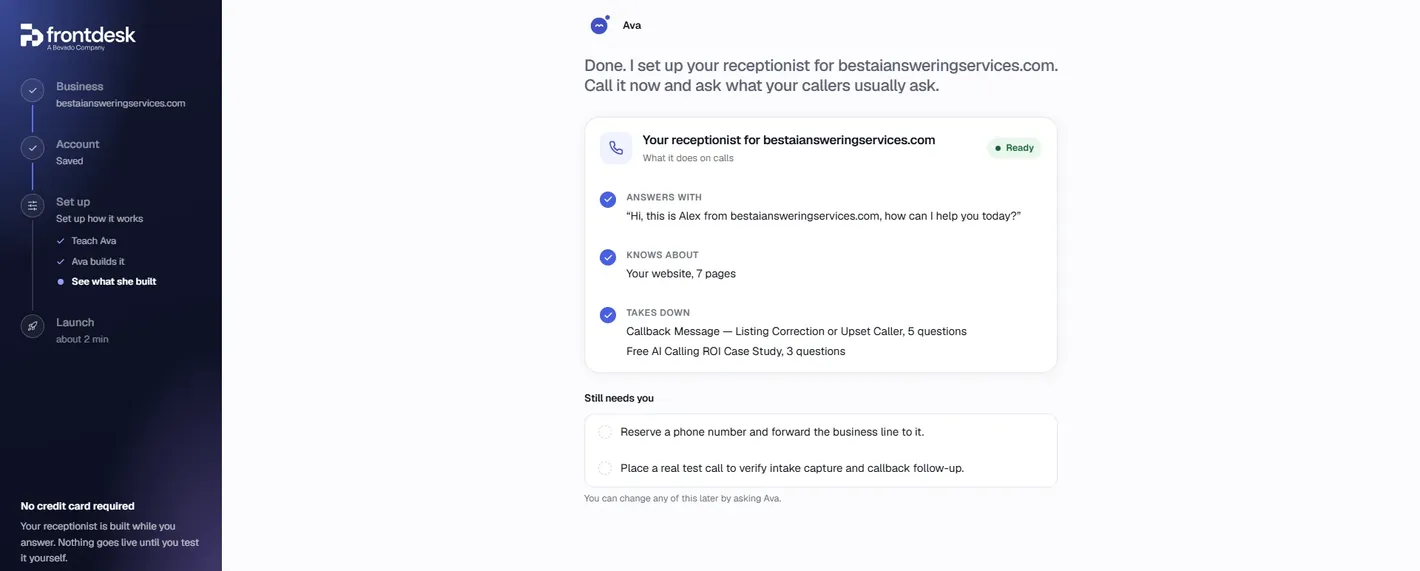
The result, as the summary card put it: it answers with “Hi, this is Alex from bestaiansweringservices.com, how can I help you today?” (the name Alex is the system's; we did not choose it), it knows our website, seven pages, and it takes down two forms: “Callback Message — Listing Correction or Upset Caller”, five questions, and “Free AI Calling ROI Case Study”, three questions. “Sends to a person” stayed empty because we said no transfers. Under “Still needs you”: reserve a phone number and forward the business line to it, and place a real test call. Everything can be changed later “by asking Ava”.
The brief behind the build
The dashboard keeps the build as a chat called “Receptionist Setup”, and it starts with the instructions the setup agent was given. It is worth reading, because it tells you how the product thinks. The agent gets a summary of what it read on the website, the owner's five answers word for word, and a set of working rules: build on the draft rather than duplicating it, turn the answers into real settings (“call transfers for handoffs, intake questions for messages and service requests, booking for appointments, and prompt rules for what to say and never say”), do not paste the answers into the prompt as a block of text, do not ask questions, and “never invent a phone number, name, price or policy they did not give you”.
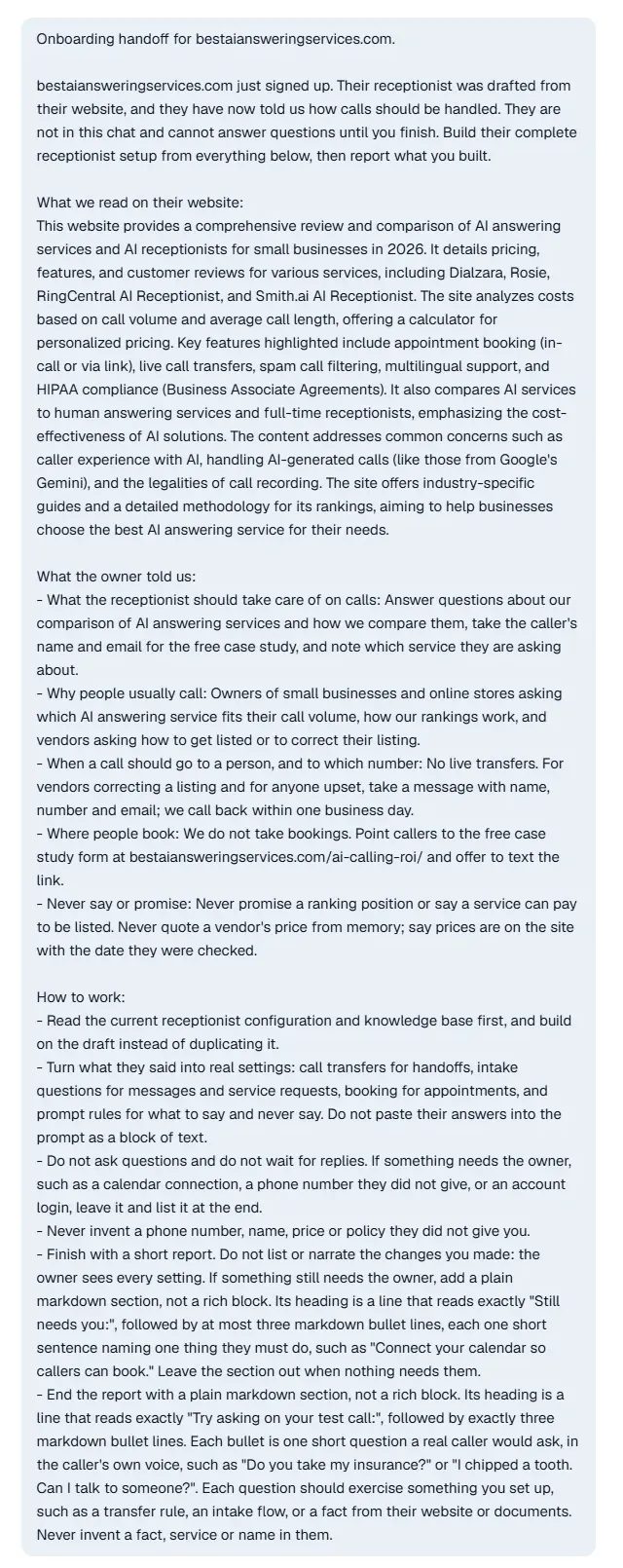
Below it the agent narrates its work in a few lines (reading the draft, converting the vendor form into a callback intake, adding the case-study intake, adding guardrails, running a check that flagged one repeated question and two text replies too alike to route reliably, fixing both), then reports:
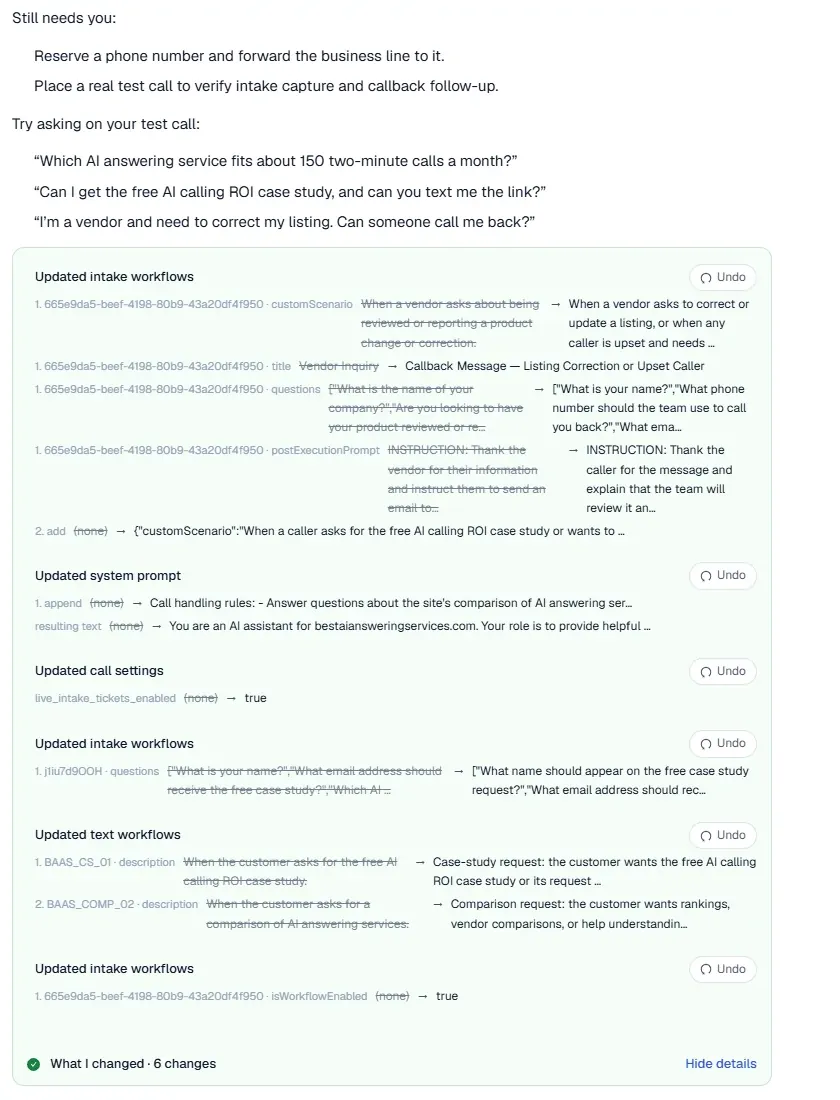
The “What I changed” panel is the part we would want from every AI setup: six changes, each with the old value struck through, the new one beside it, and an Undo button. The vendor form it had drafted from the site was retitled and given new questions (name, callback number, email); a case-study intake was added; a block of call-handling rules was appended to the system prompt; “live intake tickets” was switched on so a callback message becomes a ticket as the call happens; and the two text replies were renamed so the router can tell them apart. The same six changes appear in Settings, Audit Logs, with timestamps, the method (manual or PUT) and a “View body” link to the raw change.
The test call: transcript, recording, cost
The Launch step is a browser call: pick a microphone, Start Conversation, and the receptionist answers. We asked it the things a real caller would: a recommendation for a plumber with 50 calls a month, a price, whether it works with dentists in Canada, the free case study, a request to speak to a person, and a vendor complaint about a wrong price. The call ran 3 minutes 52 seconds.
What a buyer wants to know is where the recording went. Not into the dashboard, which is locked before the trial, but into an email: a minute after the call, “Notification: A Call interaction with …” arrived at the account address with a summary and the full transcript, and a “Click here” link to a Call Information page that opens without logging in or starting anything. It has the audio with a speed control, the call details, the summary, the transcript as chat bubbles, and the intake form result.
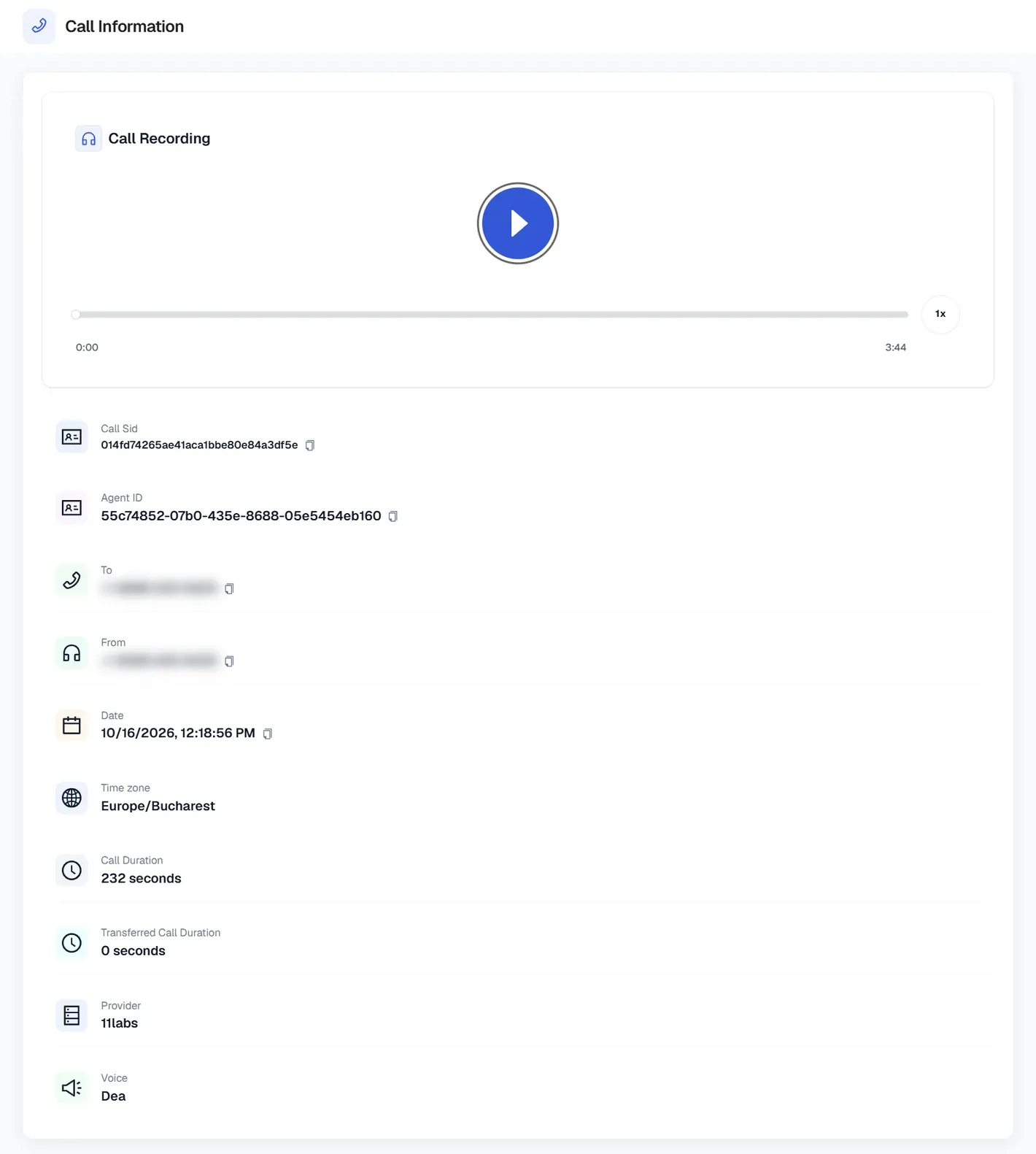
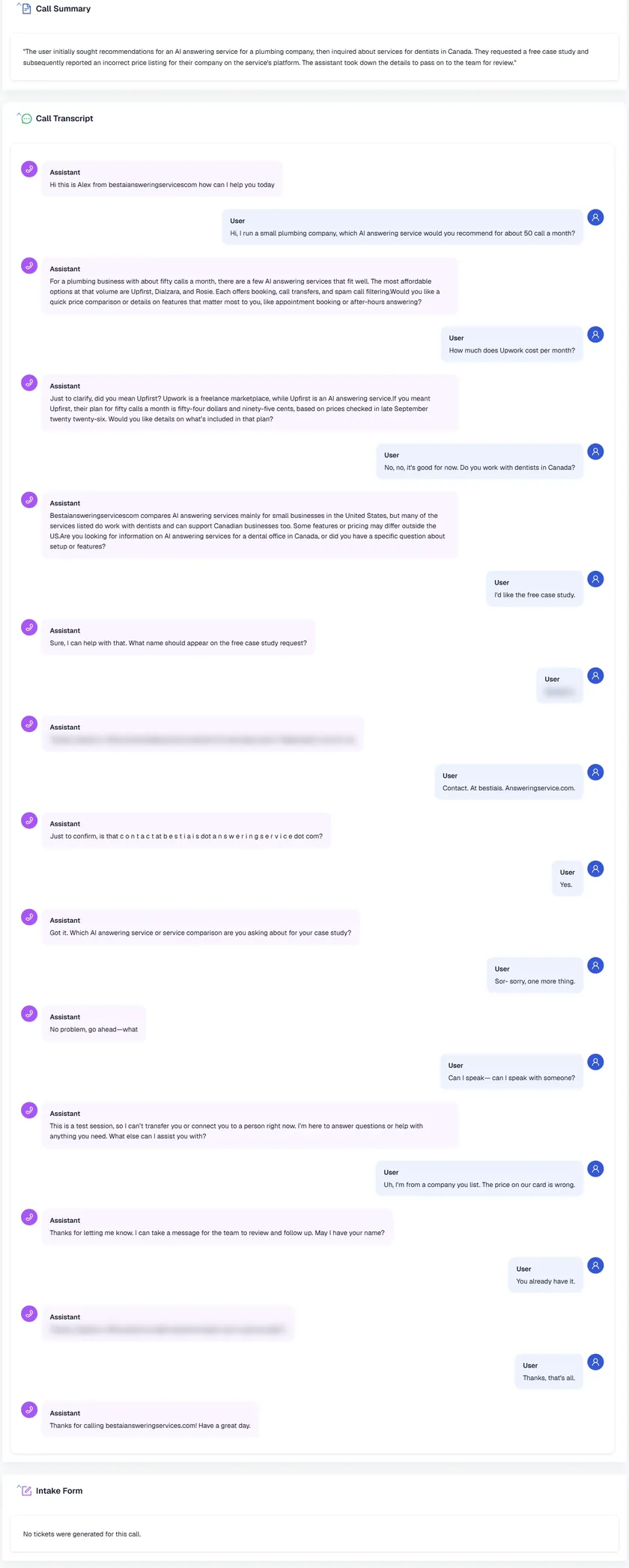
How it did, from the transcript:
- The recommendation was right. For a plumbing business at fifty calls a month it named Upfirst, Dialzara and Rosie, “the most affordable options at that volume”, which is what our home page says, and offered a price comparison or a feature rundown.
- It caught a mishearing. Asked “how much does Upwork cost per month”, it replied “did you mean Upfirst? Upwork is a freelance marketplace”, then gave Upfirst's price at fifty calls, $54.95, “based on prices checked in late September 2026”. The figure is correct ($24.95 plus twenty extra calls at $1.50) and the dated caveat is the rule we gave it in the five questions.
- The case-study intake half worked. It asked for a name and an email, had the email spelled out letter by letter and read the spelling back; the spelling it read back was wrong (“bestiais answeringservice”) and we said yes anyway, so a confirmation loop does not catch a bad transcription. It then asked which service the case study was about, as the form requires, and was interrupted.
- “Can I speak with someone?” “This is a test session, so I can't transfer you or connect you to a person right now.” Honest, and the only place the call revealed it was a test.
- The vendor complaint went to the right flow. “The price on our card is wrong” got “I can take a message for the team to review and follow up. May I have your name?”, then the callback number, which is the Callback Message intake Ava built. We ended the call before giving a number.
- No ticket. Because neither intake was completed, the page says “no tickets were generated for this call”, and the name and email it had collected went nowhere except the transcript. A real caller who hangs up halfway through is a lead only if someone reads the email.
- Small things. It read our domain without the dot (“bestaiansweringservicescom”) in the greeting and once in an answer, and it transcribed the caller's name with an extra letter and used that version twice. The pauses between turns were short enough that the caller interrupted it once and it recovered (“No problem, go ahead”).
The same opener and several of the same questions went to Upfirst's agent later the same morning; the two transcripts sit side by side in our Upfirst review.
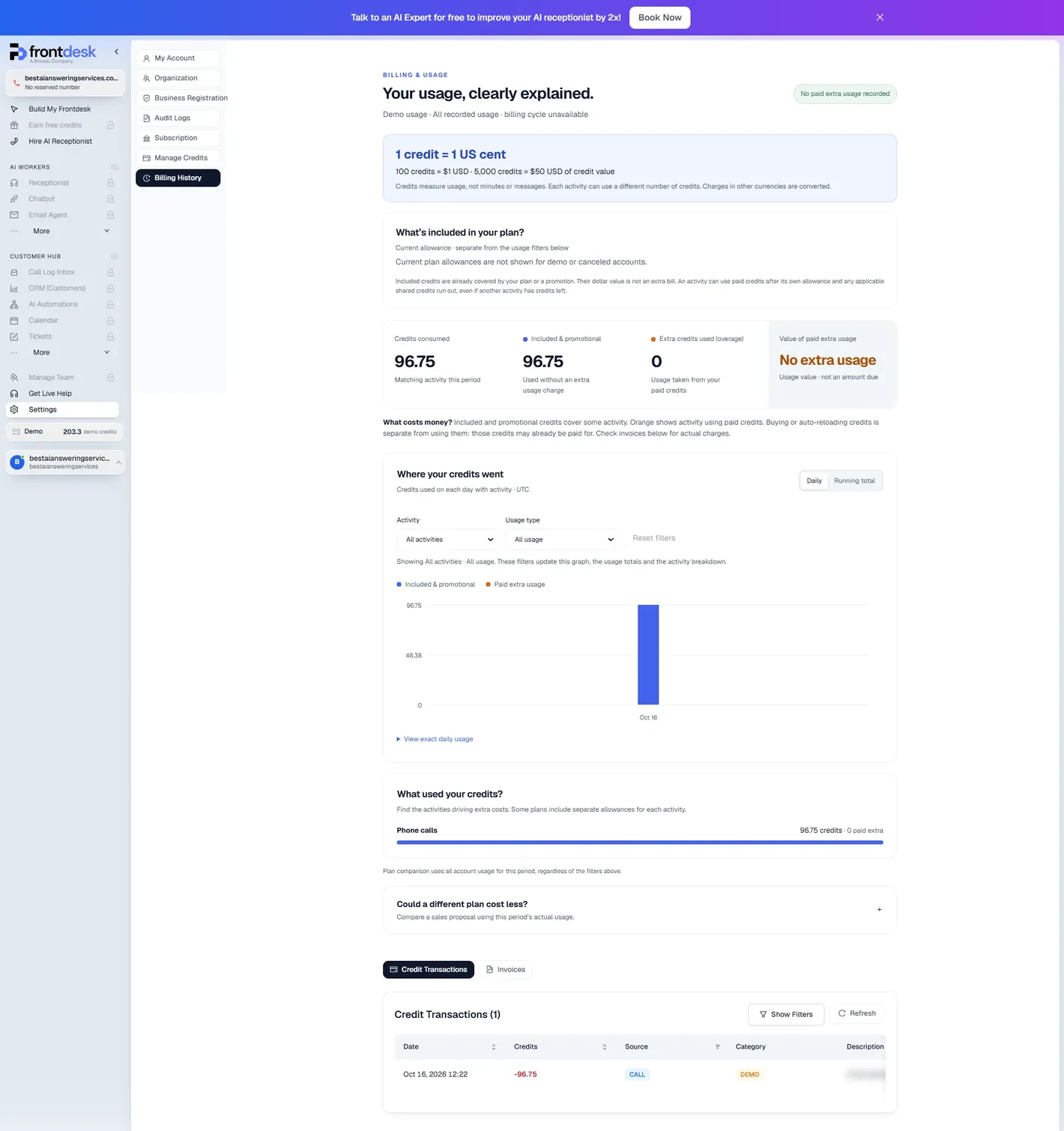
The bill is on the billing page: 96.75 demo credits for the 232 seconds, “handled using 11labs”, from a demo balance of 300 (203.3 were left). That is 25 credits a minute, billed by the second, which is the published overage rate; at a cent a credit the call was 97 cents. The 300 demo credits are therefore about 12 minutes of browser testing before the product asks for a subscription.
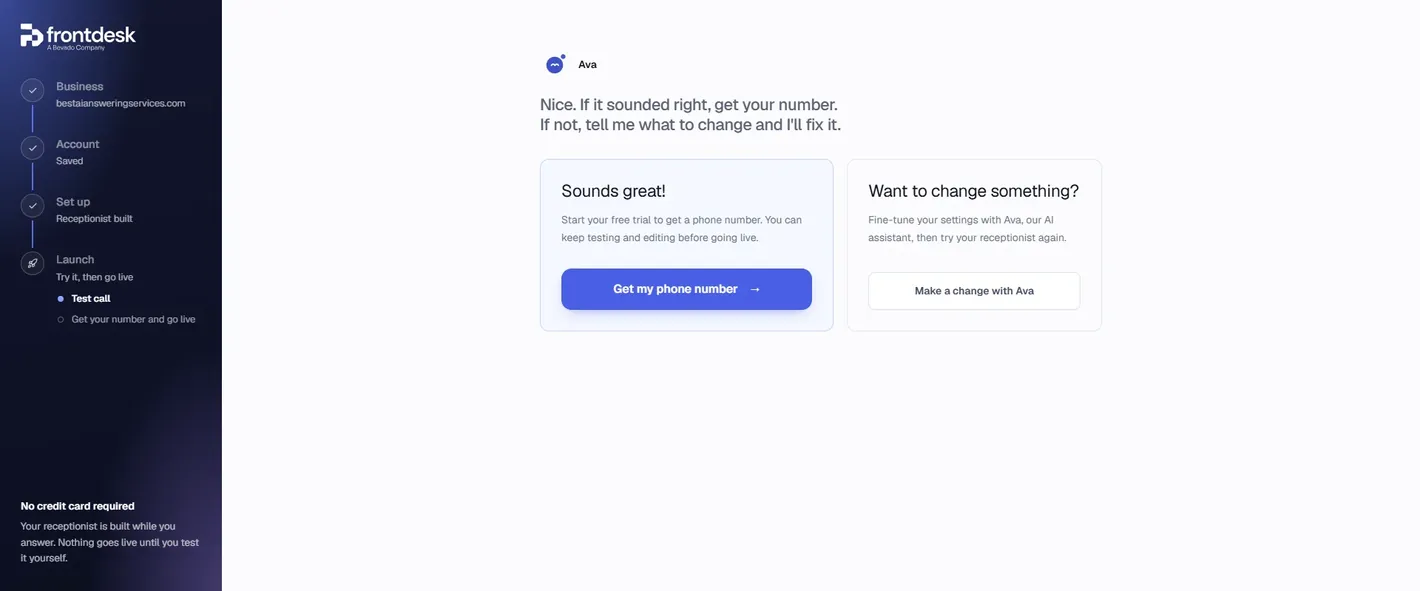
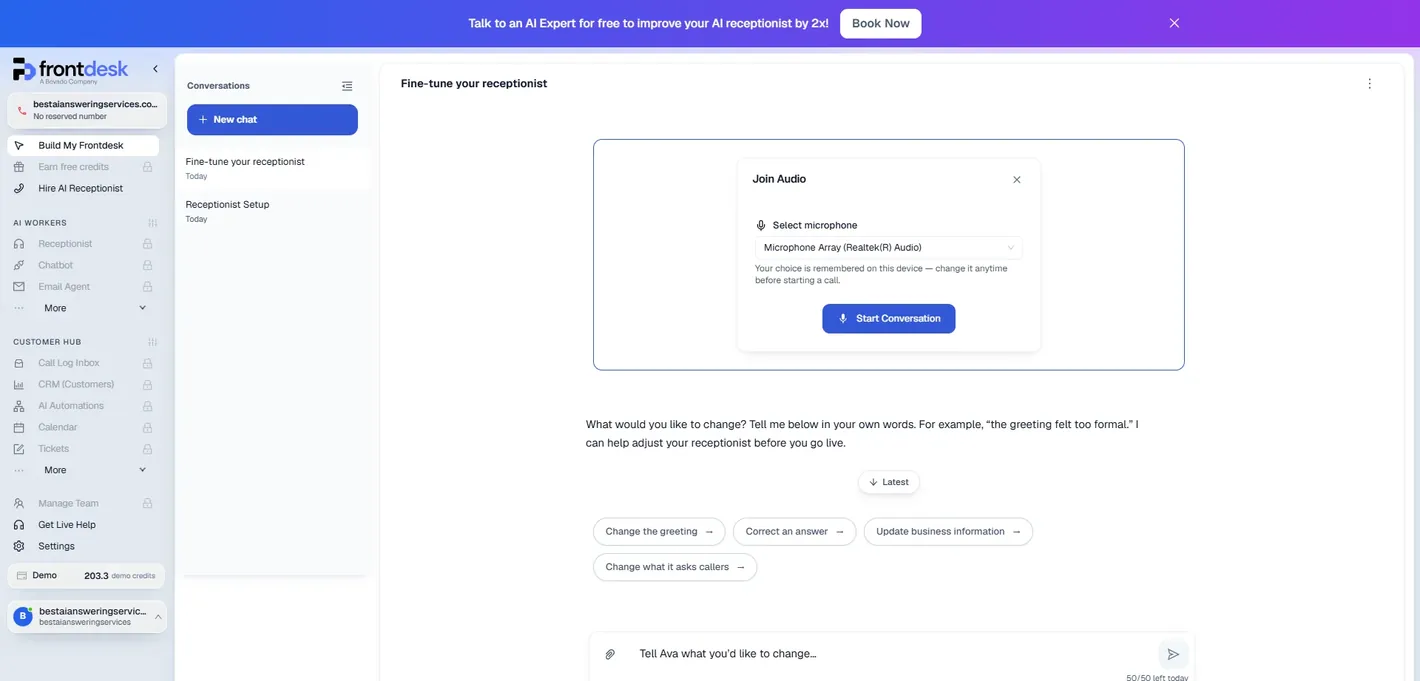
After the call Ava asks how it went. “Sounds great” leads to “Get my phone number”, which is the trial; “Want to change something” opens a chat where you describe the fix in your own words (“the greeting felt too formal”), with suggested buttons for the greeting, correcting an answer, business information and what it asks callers. The chat allows 50 messages a day.
The trial wall: what opens only with a subscription
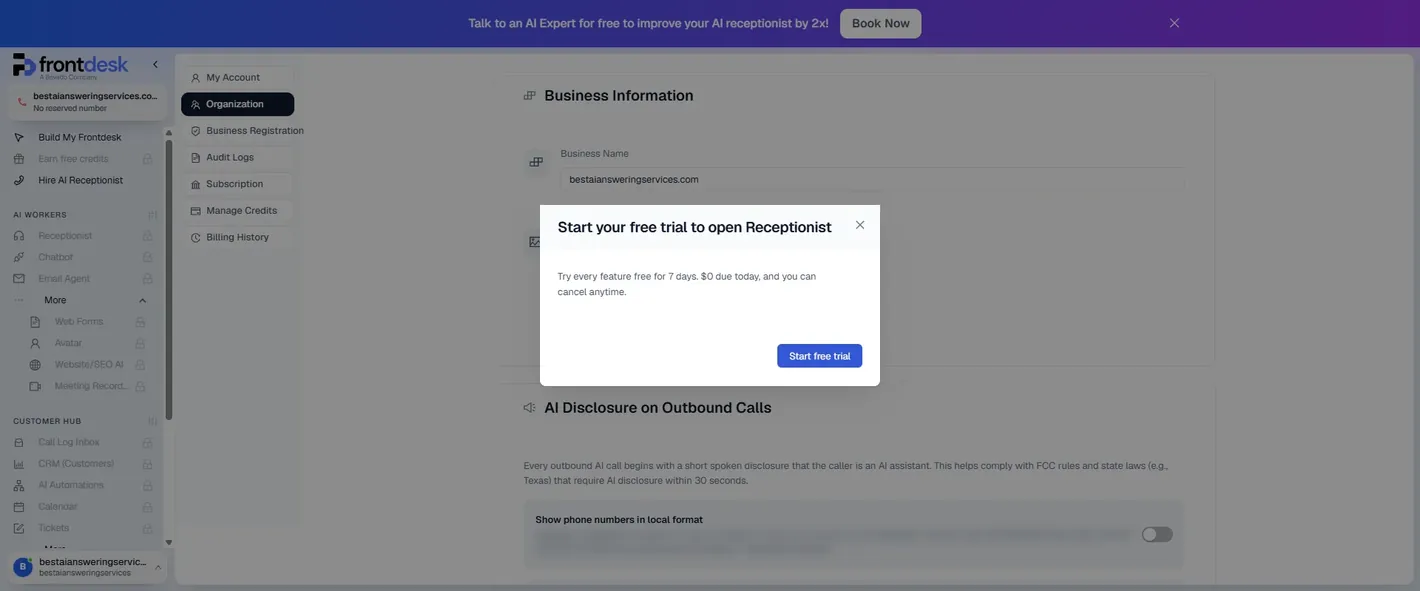
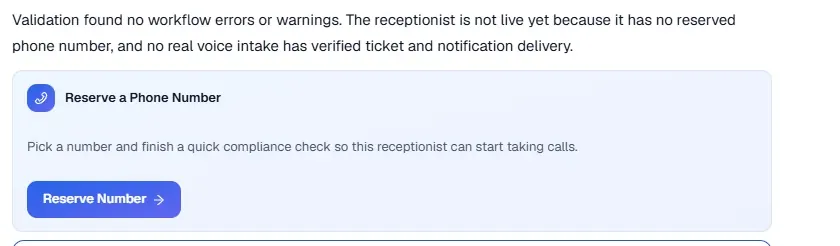
This is the part the sign-up copy does not say. “No credit card required” is true of building and test-calling the receptionist. Reserving a number, and opening the receptionist's own settings, the call log, the CRM, the chatbot, the email agent, web forms, automations, calendar, tickets, analytics and team management, all need the trial started, and the trial is a subscription: “7 days free, then $99 / mo”, “$0 due today · cancel anytime”, “no charge until the trial ends”. The locked list also shows features the plan page does not mention: Avatar, Website/SEO AI, Meeting Recorder, Notify Me and Earn free credits.
So the sequence is: build and test for free, then start a seven-day trial that bills $99 on day eight unless you cancel. That is a fair trade for a seven-day test, but it is not the same as Upfirst's 14 days and 100 calls with nothing to cancel, and it means the settings we usually photograph, the knowledge base, the transfer rules, the texting templates, are behind the wall. We will add them if we start the trial.
What it costs, from inside the app
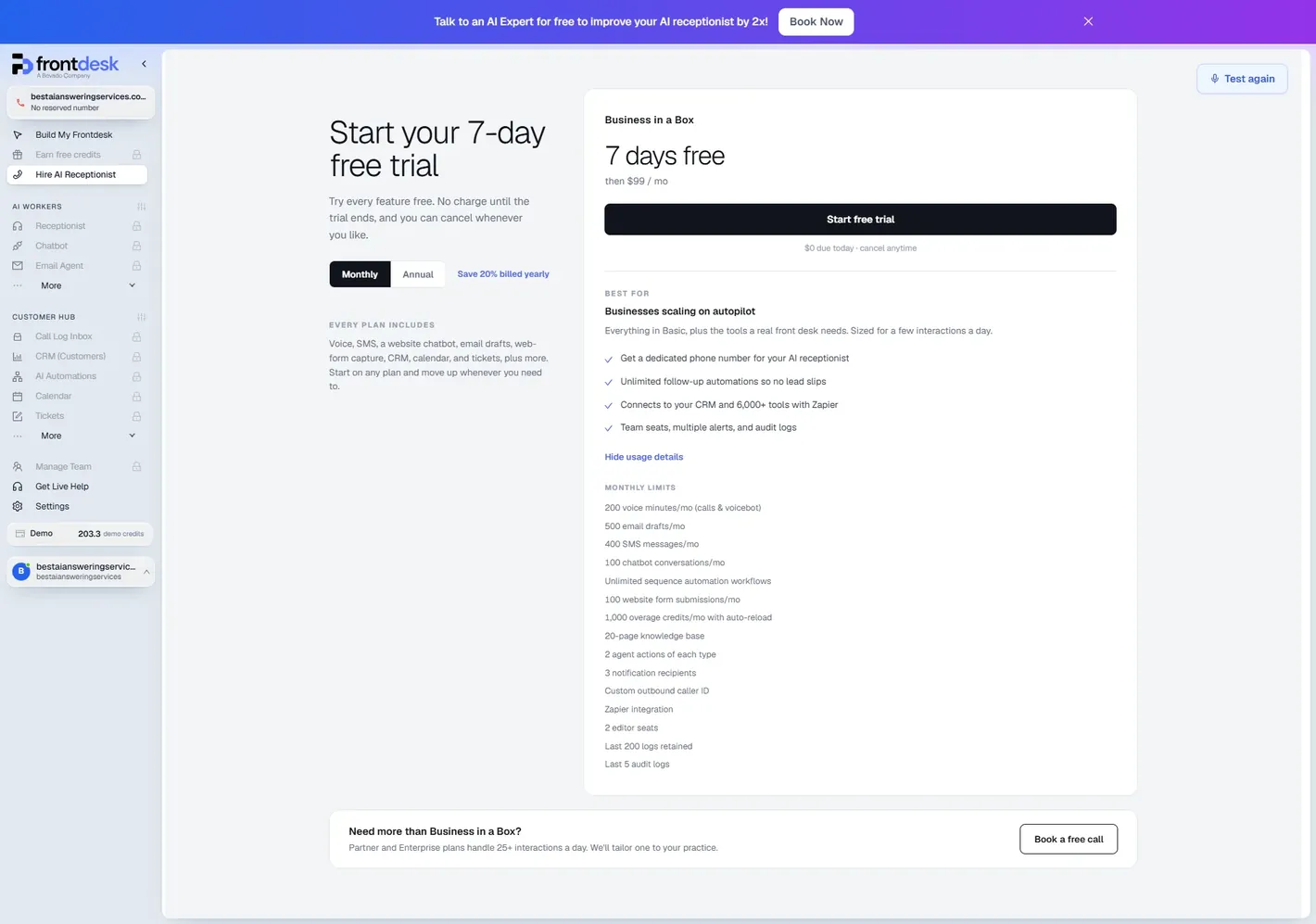
| Allowance | In the app | On the pricing page |
|---|---|---|
| Price | $99 / month or $950 / year | $99 / month or $79 / month billed annually |
| Voice minutes | 200 (calls and voicebot) | 200 (calls and voicebot) |
| Overage | 1,000 credits a month with auto-reload | 1,000 credits a month; 25 credits per voice minute, 4 per SMS, 5 per chat conversation, 4 per form lead; 1 credit = $0.01; reload $10 per 1,000 |
| SMS | 400 a month | 400 a month |
| Email drafts | 500 a month | 500 a month |
| Chatbot conversations | 100 a month | 100 a month |
| Website form submissions | 100 a month | 300 a month |
| Outbound calls | Not listed | 20 a day |
| Knowledge base | 20 pages | 20 pages |
| Seats and logs | 2 editor seats; last 200 logs; last 5 audit logs | 2 editor seats, unlimited viewers; last 200 logs |
The two disagree on website form submissions (100 in the app, 300 on the pricing page). Partner and Enterprise plans are custom, sold through a call, and the app says they are for “25+ interactions a day”.
The arithmetic for a phone-only business: 200 minutes plus the 1,000 included credits (40 minutes) is 240 minutes for $99, then $0.25 a minute. At 150 two-minute calls a month that is $114; at 100 three-minute calls, also $114; at 300 two-minute calls, $189. The “Could a different plan cost less?” panel on the billing page compares your real usage against a sales proposal, which is how you would find out whether a Partner rate (“as low as 7 credits” a minute on the pricing page) is worth a call. Our AI phone answering guide puts the $99 plan beside eleven other services at one-minute and three-minute calls.
Settings worth knowing about
Settings has seven pages, all open before the trial; three of them matter for compliance.
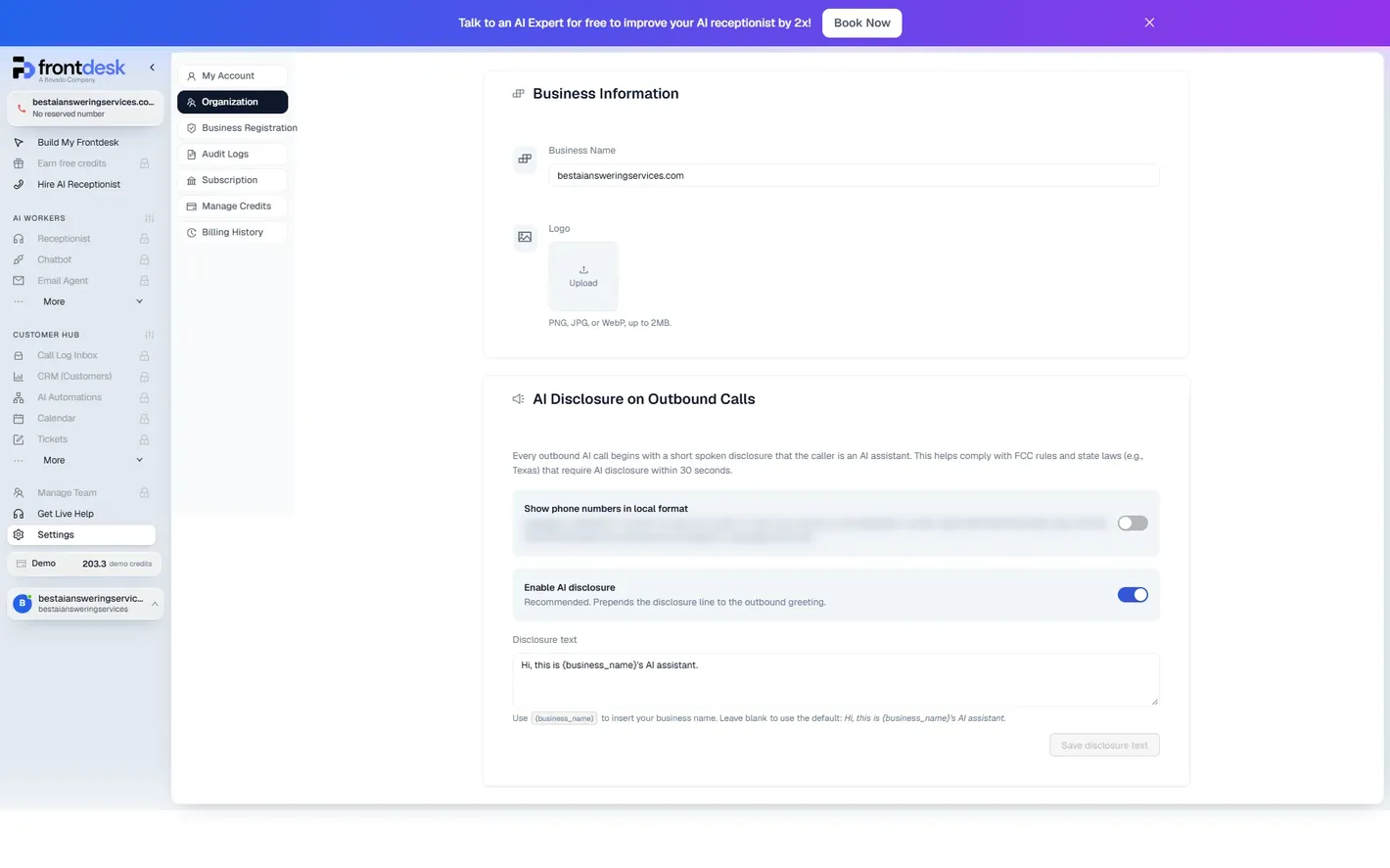
- AI disclosure on outbound calls. Every outbound call can open with a spoken line that the caller is an AI assistant, which the page ties to FCC rules and state laws such as Texas that require disclosure within 30 seconds. It is on by default and the text is editable (default: “Hi, this is {business_name}'s AI assistant”). We have not seen this as a setting in the other services we have reviewed.
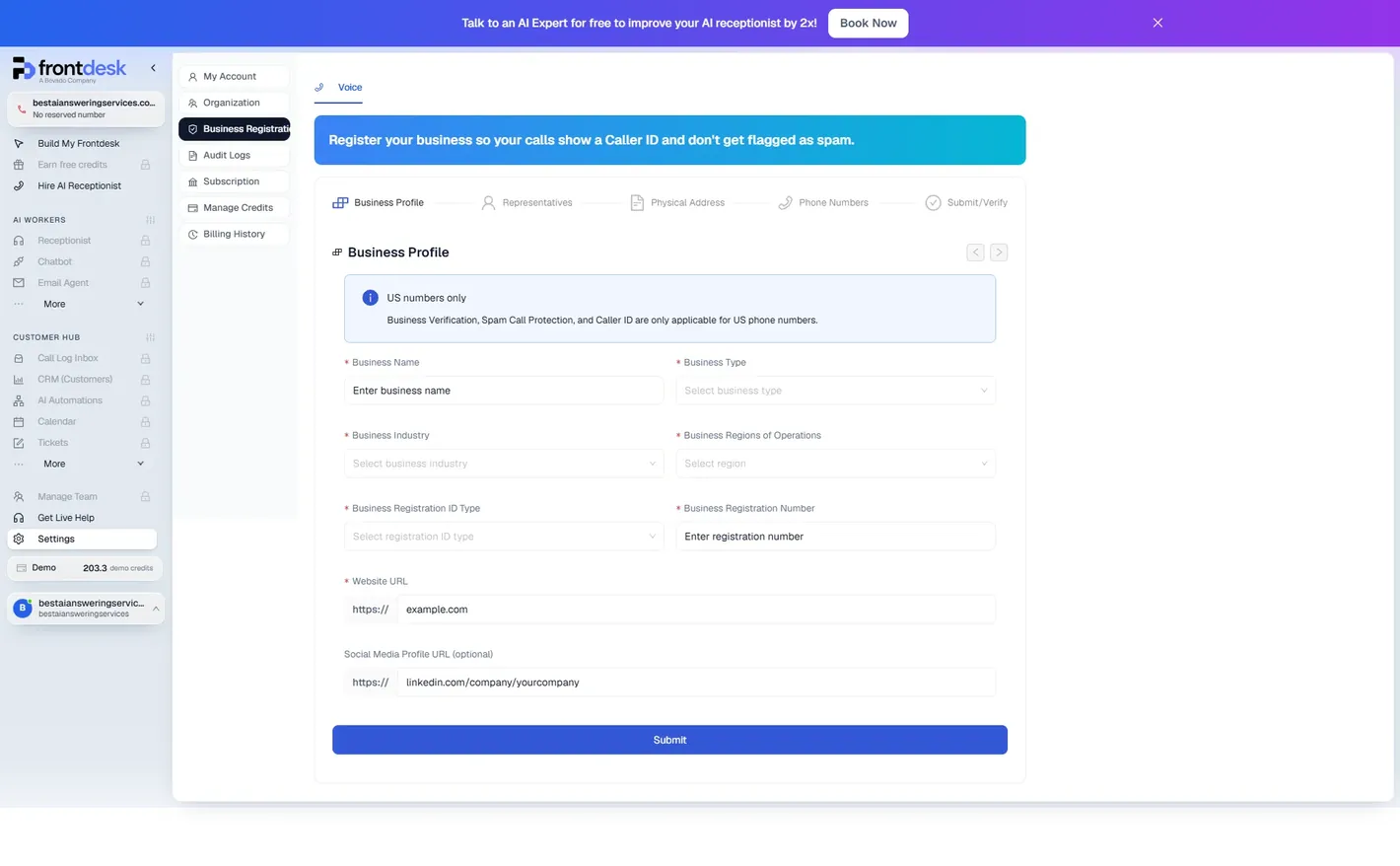
- Business registration. A five-step form (business profile, representatives, physical address, phone numbers, submit and verify) so outbound calls show a caller ID and are not flagged as spam. It is US numbers only, by the page's own note, and asks for a business type, industry, region, registration ID type and number, and a website.
- Audit logs. Every configuration change, with time, event, method, user and agent, and the raw body on request; the plan keeps the last five.
- Account. Time zone (ours came preset to Europe/Bucharest), dashboard translation into other languages (“this will not affect your receptionist”), Google and Microsoft sign-in, password change, and a danger zone that deletes the receptionist and “releases its phone number”.
- Credits. Purchased credits never expire and are used after a feature's own allowance; auto-reload sets a floor and a refill amount. Before a subscription both are read-only.
Who it's for
- Good fit: a business that wants calls, texts, a website chatbot and email replies from one $99 plan and will use the seven days to test hard; owners who want the transcript and recording of every call in their inbox without opening a dashboard; and anyone who makes outbound calls, for the disclosure and caller-ID registration built in.
- Check first: that the plan's 200 minutes fit your calls (240 with the included credits; our calculator does the sums), whether the integration you need exists before you pay (a Capterra reviewer was promised one that didn't, Capterra), and the cancellation terms before an annual prepayment, which is where the refund complaints on Trustpilot sit.
- Look elsewhere if you want to see the settings before giving a card (Upfirst's 14 days and 100 calls need nothing to cancel; our review), a price that does not move with call length (Upfirst per call, Goodcall per caller), or a signed BAA on a published plan (RingCentral, AptaBook). All are on our home page.
What this page covers. Everything the account opens before a subscription: the sign-up, the build, the test call with its recording and transcript, the plan page and the settings, as captured on 16 October 2026. The receptionist's own screens, its knowledge base, intake forms, text templates and call log inbox, come with the seven-day trial.
Questions owners ask
Does My AI Front Desk have a free trial?
Seven days, started from a Start free trial button that the app describes as “$0 due today, cancel anytime, no charge until the trial ends”, then $99 a month. Before that, you can build the receptionist and test-call it from the browser without a card: the account comes with 300 demo credits, about 12 minutes of calls at 25 credits a minute.
Do I need a credit card to try My AI Front Desk?
Not to build it or to test-call it in the browser, and the test call's recording, summary and transcript come to you by email with a link to a call page that needs no login. To reserve a phone number and open the receptionist's settings, call log, chatbot and the rest of the dashboard you start the seven-day trial, which is a subscription that bills $99 after the seven days unless you cancel.
How long does My AI Front Desk take to set up?
About ten minutes for us on 16 October 2026: four multiple-choice questions and an account form, five typed questions about how calls should be handled (or a two-minute voice call with Ava instead), then a build that took about six minutes and a test call. The audit log shows the configuration itself was written in under two minutes.
What does a My AI Front Desk minute cost?
The $99 plan includes 200 voice minutes and 1,000 credits a month; a voice minute over the allowance costs 25 credits, and 1 credit is one US cent, so $0.25 a minute, billed by the second. Our 3-minute-52-second test call cost 96.75 credits. Extra credits are $10 per 1,000 and never expire.
Does My AI Front Desk record calls and send transcripts?
Yes. After our browser test call, a notification email arrived at the account address within a minute with a summary, the full transcript and a link to a Call Information page showing the recording (with a speed control), the duration, the voice provider and the intake result. The page opened without logging in. The call log inbox in the dashboard itself is locked until the trial starts.
Can My AI Front Desk transfer calls to a person?
Yes. The setup questions ask when a call should go to a person and to which number, and the build turns the answer into transfer rules. We asked for no transfers, so our receptionist takes a message instead, with name, number and email, and the message becomes a ticket during the call.
Does My AI Front Desk tell callers it is an AI?
On outbound calls, yes by default: a setting under Organization prepends a spoken disclosure (“Hi, this is [business]'s AI assistant”) that the page links to FCC rules and state laws such as Texas. The wording is editable and the switch can be turned off. The inbound greeting it wrote for us names a person (“this is Alex from…”); you can change it by asking Ava.
Can I keep my own phone number with My AI Front Desk?
Yes, by forwarding. The receptionist answers on a number you reserve in the app, and the setup's final to-do is to forward your business line to it; My AI Front Desk does not port numbers in. Caller-ID registration and spam protection for outbound calls are for US numbers only.
Is the in-app pricing the same as the pricing page?
Almost. On 16 October 2026 both showed $99 a month, 200 voice minutes, 400 SMS, 500 email drafts, 100 chatbot conversations and 1,000 overage credits. The app lists 100 website form submissions a month where the pricing page says 300, and the app shows the annual price as $950 a year where the page says $79 a month billed annually, which is the same figure.
Sources and method
- My AI Front Desk app (app.myaifrontdesk.com), our own account opened with this site's details on 16 October 2026: the sign-up, the five-question setup, the build, the Receptionist Setup chat, one browser test call of 232 seconds with its notification email, Call Information page, recording and transcript, the plan page and every settings page the account would open before a subscription, read and captured the same day. Emails and phone numbers are blurred. We uploaded no documents, reserved no number and started no subscription.
- My AI Front Desk pricing page (vendor-published), read 16 October 2026
- Trustpilot, G2 and Capterra reviews of My AI Front Desk, read 30 September 2026